Windows 11 · x64 + ARM64
WSLC, without the clutter.
Quay gives you a clean desktop view of your containers, images and WSLC sessions — with the terminal still one click away.
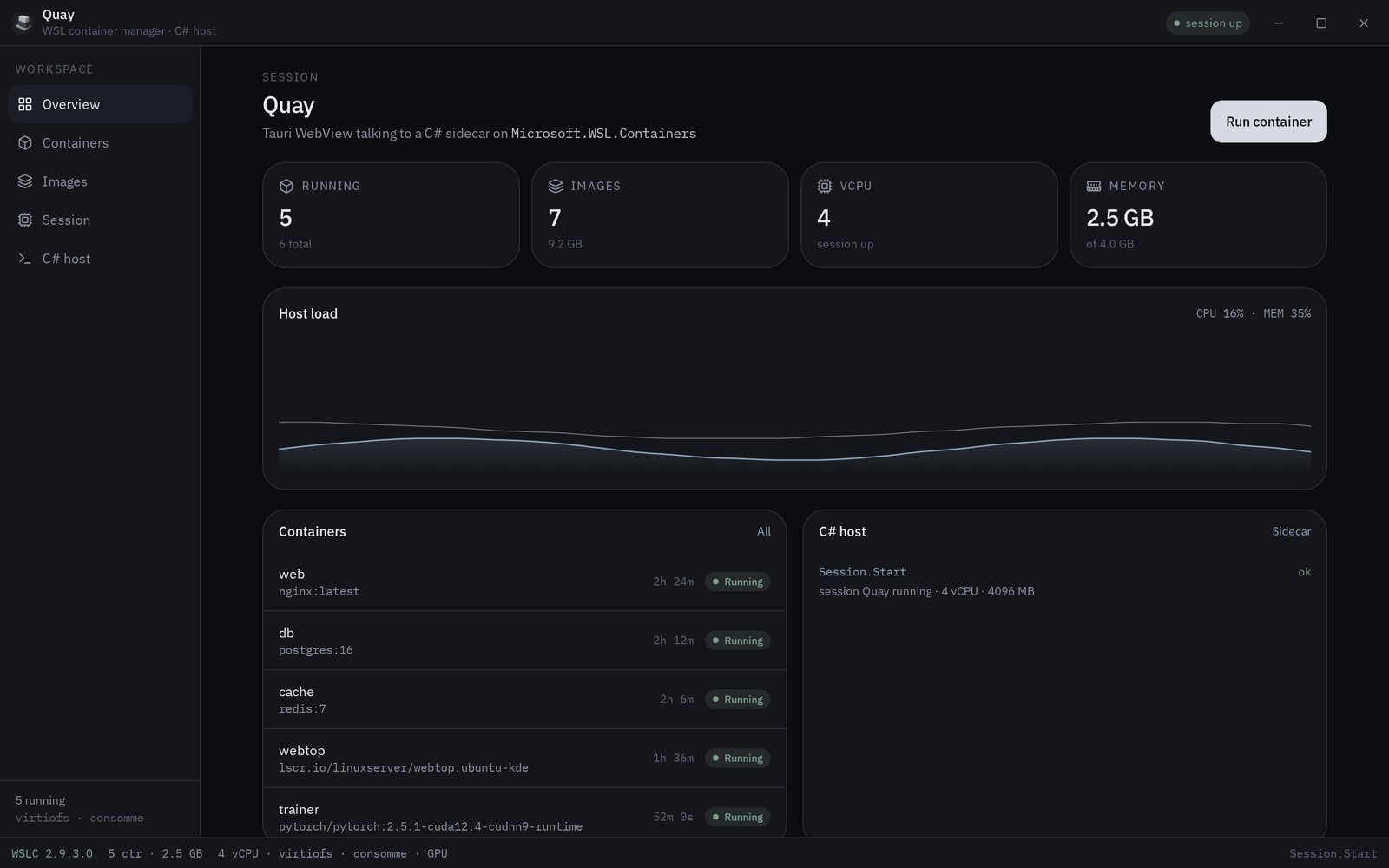 Click to enlarge
Simple by design.
Just the everyday WSLC controls you need, presented clearly.
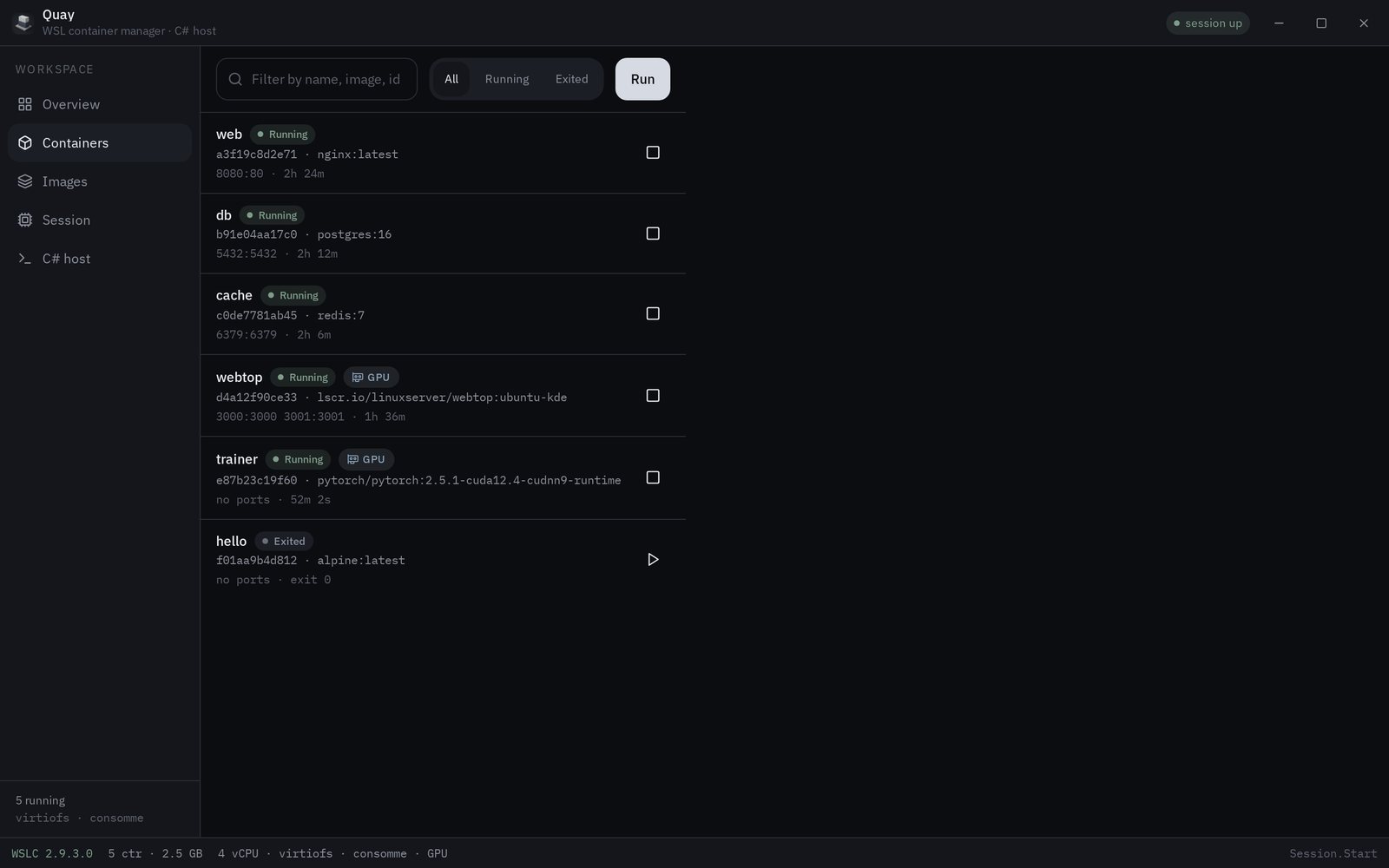
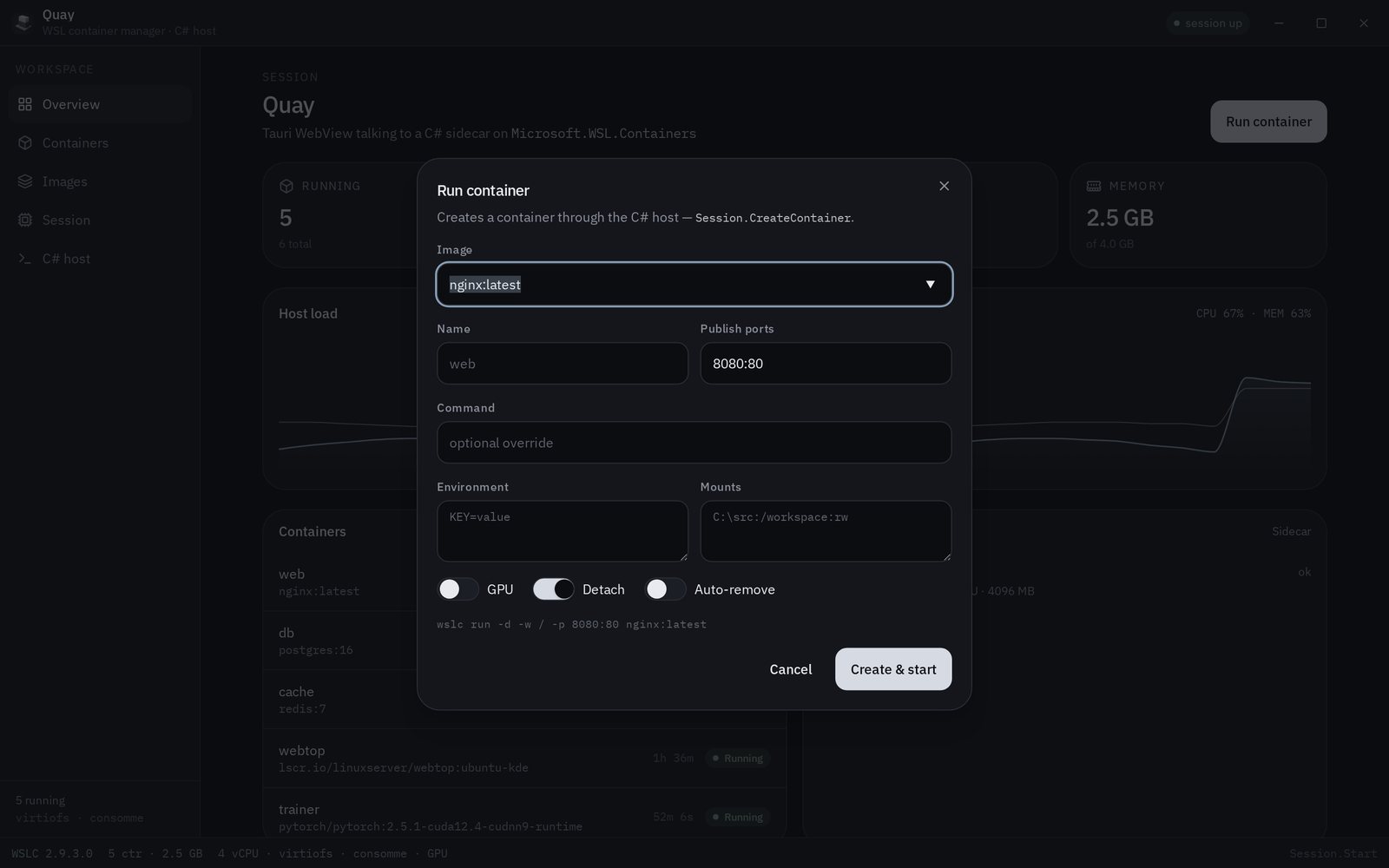
ContainersSee running and stopped containers, then start, stop or remove them.
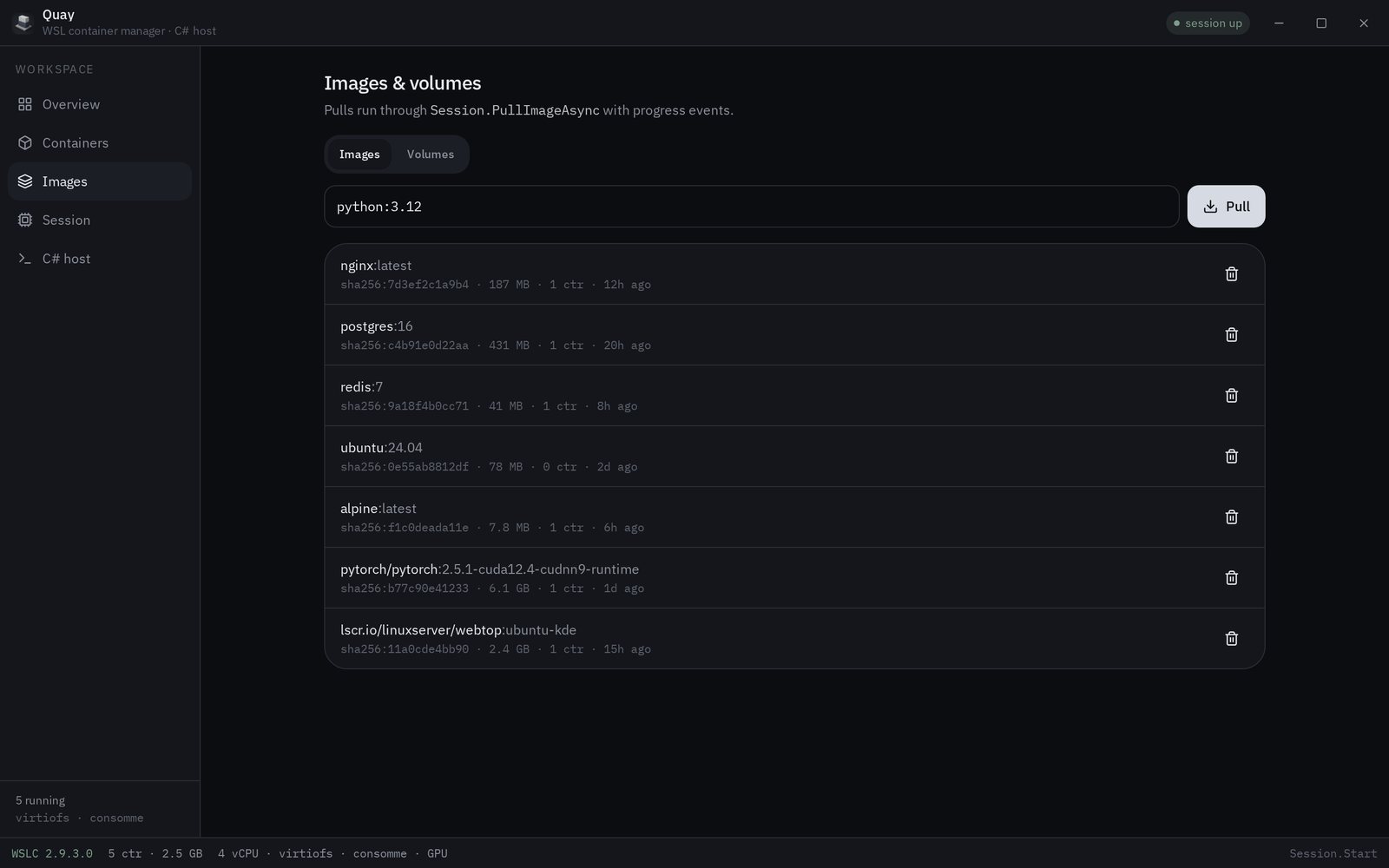
ImagesBrowse local images and pull new ones without leaving Quay.
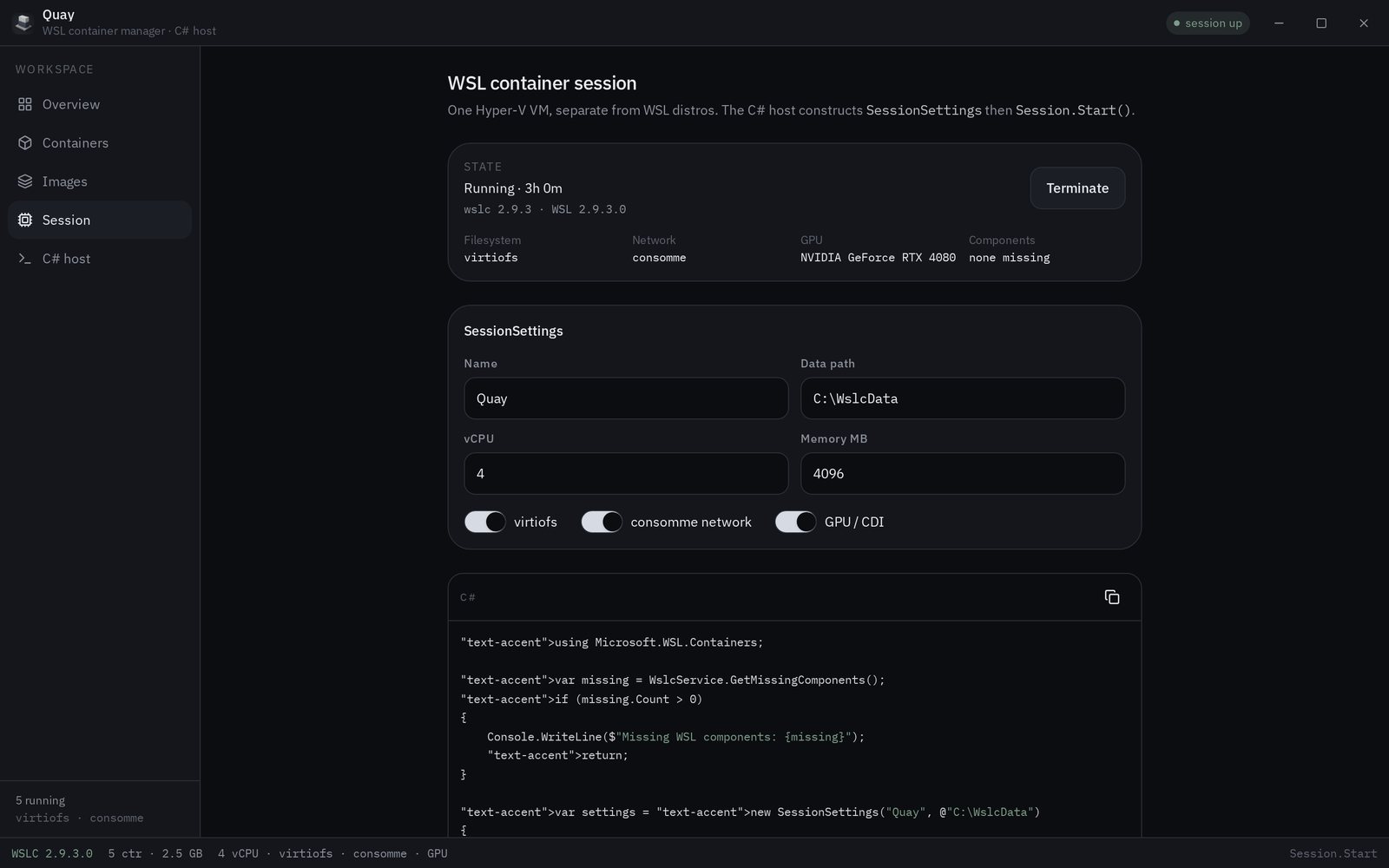
SessionsSee the active WSLC session and runtime information at a glance.
TerminalJump into a container terminal when you need deeper control.
Native buildsRuns on both Intel/AMD and Windows on ARM devices.
Open sourceBuilt with Rust and Tauri. Source and releases are available on GitHub.
See Quay in action.
Click any screenshot to open it full size. Use ← → to browse.
Download Quay
Choose the installer for your Windows architecture. Quay requires WSL and WSLC installed on your machine.
Microsoft StoreSubmitted to Microsoft Store for certification · Coming soon
Coming soon