Local AI · Windows

Translate & rewrite anywhere. Privately.

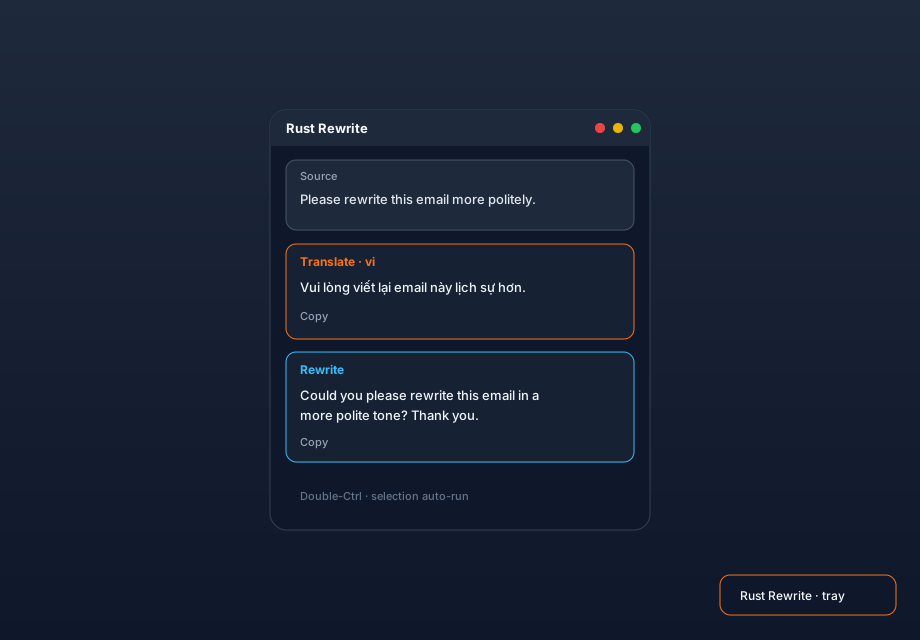
Select text in Windows and Butchi appears beside it. Translate or Rewrite runs through a local GGUF model via llama.cpp — without sending your text to a cloud AI service.
Download for Windows Microsoft Store — Coming soon View source
Butchi popover showing a selected sentence with Translate and Rewrite results
UI illustration · real Windows captures coming soon
01

Select

Select text with the mouse, or double-Ctrl after a keyboard selection.

02

Butchi appears

A small cursor-adjacent popover keeps the action close to what you were already doing.

03

Translate or Rewrite

See streaming local output, then Copy it or Replace the selected text.
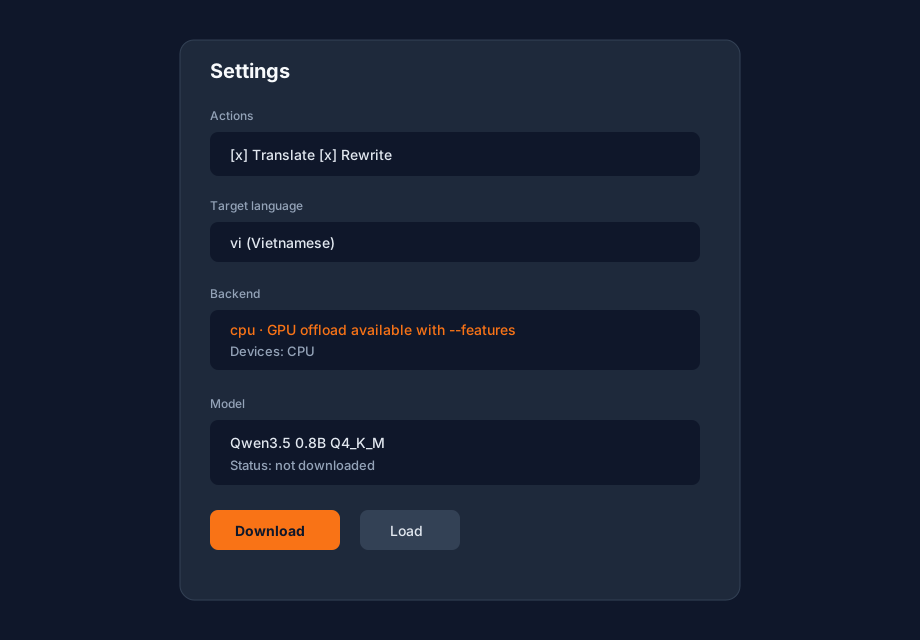
Butchi Settings with General, Prompts, Model, History, and About and Privacy navigation

Control without clutter

Tune the workflow, not the cloud.

Choose target languages, edit Translate and Rewrite prompts, manage the local model, set CPU or GPU preference, and keep searchable history on your device.

  • Editable prompt profiles
  • Local GGUF model setup
  • Auto / GPU / CPU preference
  • System, light, and dark appearance

Privacy

Your text is not sent to a cloud AI service.

Selected text and generated results are processed by your configured local GGUF model.

History is stored locally on the device. Network access is used when you explicitly download a model from Hugging Face.

Read the privacy summary →

Small utility. Deep control.

Focused on the few moments between selecting text and getting usable words back.

Cursor popoverAppears close to supported mouse selections.
Double-CtrlTrigger Butchi for keyboard-selected text.
Streaming outputSee Translate and Rewrite results as they generate.
Copy or ReplaceKeep the result on the clipboard or put it back into the selection.
Prompt profilesStart Natural, Literal, Professional, Grammar-only, or edit your own.
Favorite languagesKeep common translation targets one click away.
Local historySearch previous results with configurable retention.
CPU / GPU preferenceUse supported local backends with CPU fallback where available.

Fits your desktop

Light when you want it. Dark when you don't.

Butchi popover in dark mode
Butchi Settings in dark mode

Windows

Keep the rewrite close to the text.

Butchi is open source and built around local inference. Download the latest Windows release from GitHub today; the Microsoft Store listing is coming soon.

Download for WindowsStore — Coming soon